This blog post doesn’t contain any cutting edge exploitation or custom security tooling, but it contains some things that I didn’t know previously and know now, and my hope is that it helps someone else learn something new or helps someone secure something that wasn’t previously.

BLUF - For those short on time or home to a cracked attention span
Here’s a TL;DR of some of the learnings:
| Gotcha | Explanation |
|---|---|
| Lots of different names for things | Fortinet have a wide range of products that do wildly different things. As an incident responder, it’s worth learning what these are and how they differ. FortiGate (appliance), FortiWeb (WAF), FortiClient (VPN agent), etc. |
| On-disk logging | Default is set to 7 days for devices with a disk. This can be increased to a maximum of 10 years (disk size pending). Persistent for appliances with a disk, non-persistent and wiped on reboot for a memory only appliance. |
| On-disk vs FortiAnalyzer | It is considered best-practice to additionally purchase a FortiAnalyzer and forward FortiGate appliance logs to this. This assists with retention, redundancy and advanced searching capabilities. |
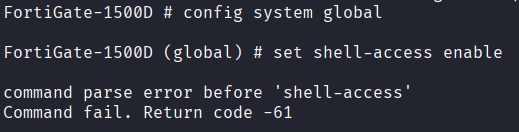
| FortiOS is restricted | Does not offer a full shell capability for responders, only limited commands. |
| TAC report | A TAC report and debug logs can be retrieved via cli or GUI, providing output that may help investigate some attack scenarios. |
| fnsysctl | Some more advanced cli functionality is offered with fnsysctl commands; these are still restricted. https://community.fortinet.com/t5/FortiGate/Technical-Tip-Use-Cases-of-fnsysctl-Commands-for-System-Level/ta-p/391269 |
| No easy access to underlying Linux OS | FortiGate uses a customized Linux kernel. Exploiting an RCE vulnerability (targeting a root-level process like sslvpnd exploited in CVE-2022-49475) immediately grants an attacker root access to the host OS, allowing for persistent malware installation outside the view of standard FortiOS monitoring. |
| SSL-VPN is (should be) dead. Long live ZTNA | As of v7.6.3, the recommendation is to migrate SSL-VPN to IPSec or Zero Trust Network Access (ZTNA). The SSL-VPN feature will still receive patches and maintenance but no new capabilities will be added. https://docs.fortinet.com/document/fortigate/7.6.0/ssl-vpn-to-ipsec-vpn-migration/126460 https://docs.fortinet.com/document/fortigate/7.2.5/ssl-vpn-to-ztna-migration-guide/813800/deployment-overview |
| Single factor brute-force of SSL-VPN | A lot of cyber incidents begin with brute-forcing of single factor credentials to the SSL-VPN. This would typically appear as an attacker authenticating to the SSL-VPN range using a compromised account. It is worth reviewing your authentication settings. |
Forti-What?
The thing that initially cooked me the most when responding to my first incident involving a FortiGate was just how many different product offerings there were. Below is a brief table of some of the more important products. While I won’t be discussing sales or best-practice architecture, it’s important to define these terms first for readers who may be unfamiliar with the product line, like I was.
| Product Name | Definition | Additional Purchase? |
|---|---|---|
| FortiGate | The actual flagship Next-Gen firewall product itself. Physical or virtual appliance | Appliance (physical or virtual) |
| FortiOS | Fortinet’s proprietary network security operating system (OS) | Comes installed on FW |
| FortiGuard | A cybersecurity service provided by Fortinet that offers a range of security solutions, including threat intelligence, antivirus, anti-spam, and intrusion prevention. Considered mandatory for Next-Gen capabilities. | Yes (subscription) |
| FortiManager | Centralised management appliance that provides single-pane-of-glass control for Fortinet security devices | Yes (appliance or VM) |
| FortiAnalyzer | Log collection, processing and reporting tool | Yes (appliance or VM) |
| FortiSIEM | Security Information and Event Management (SIEM) solution that provides real-time monitoring, threat detection, and reporting across various environments. Agentless CMDB, but also uses agents for events and is similar to Splunk | Yes (appliance or VM) |
| FortiWeb | Fortinet’s Web Application Firewall (WAF) product offering | Yes (appliance or VM) |
| FortiClient | Application that typically provides secure VPN access, also has a few other features | Free or Paid. Paid licenses unlock advanced features: ZTNA, and central management via FortiClient EMS |
| FortiGate VPN | Allows a user to establish a secure, encrypted connection between the public internet and a corporate or institutional network (SSLVPN). More on Fortinet SSL VPN vs IPSec VPN vs ZTNA later in this blog post | Functionality integrated into FW. Client access provided via FortiClient |
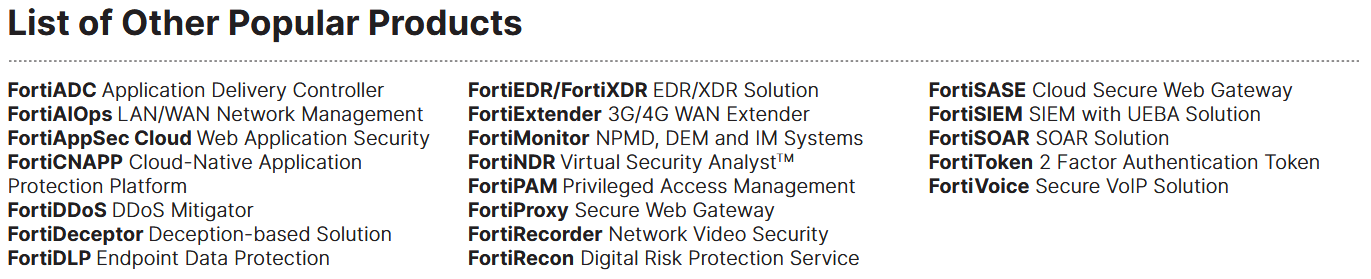
https://www.fortinet.com/content/dam/fortinet/assets/data-sheets/Fortinet_Product_Matrix.pdf
FortiGate Config and On-Disk Logging Overview
I was lucky enough to get my hands on a physical FortiGate 1500D appliance that fell off the back of a truck to help me visualise what some of these offerings looked like in reality. I always find it useful to play around with something and get comfortable with it; you never know when something might come in handy down the track. My lab was just the barebones physical appliance with factory default settings and no additional subscriptions or licenses, set up with a direct ethernet port into my home PC, and a direct console -> USB-A cable also plugged directly into my home PC, using a Kali Purple VM for access. Obviously, in an IR scenario, the appliance won’t require this level of setup.
Connecting using the console cable with the default baud rate screen /dev/ttyUSB0 9600 gives us a console login screen, which at default will use admin and no password. FortiOS gives us the following options from this level of access:
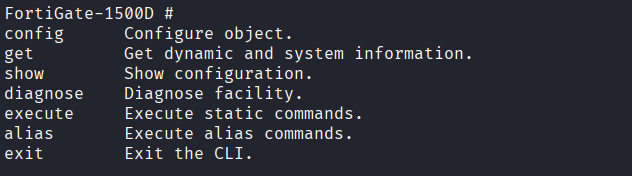
Using the following commands, I set up the web management interface for ease of access:
config system interface
edit mgmt
set allowaccess http https ssh ping
set ip 192.168.224.131
end
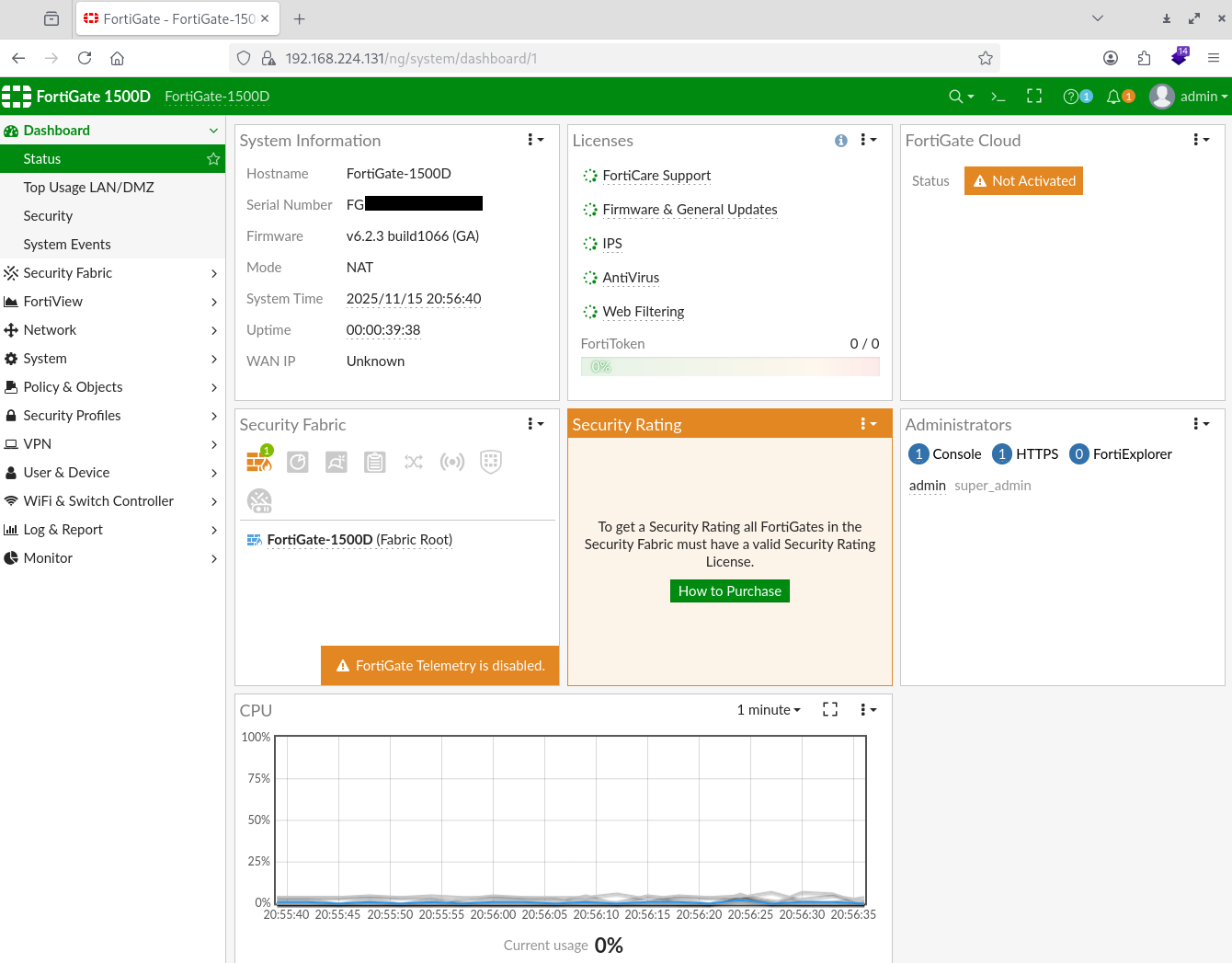
Note here that all the various bells and whistles are not activated due to licensing and subscriptions; this did not have a direct internet connection in my lab.
Taking a look at Log & Report -> Log Settings we see the following options.
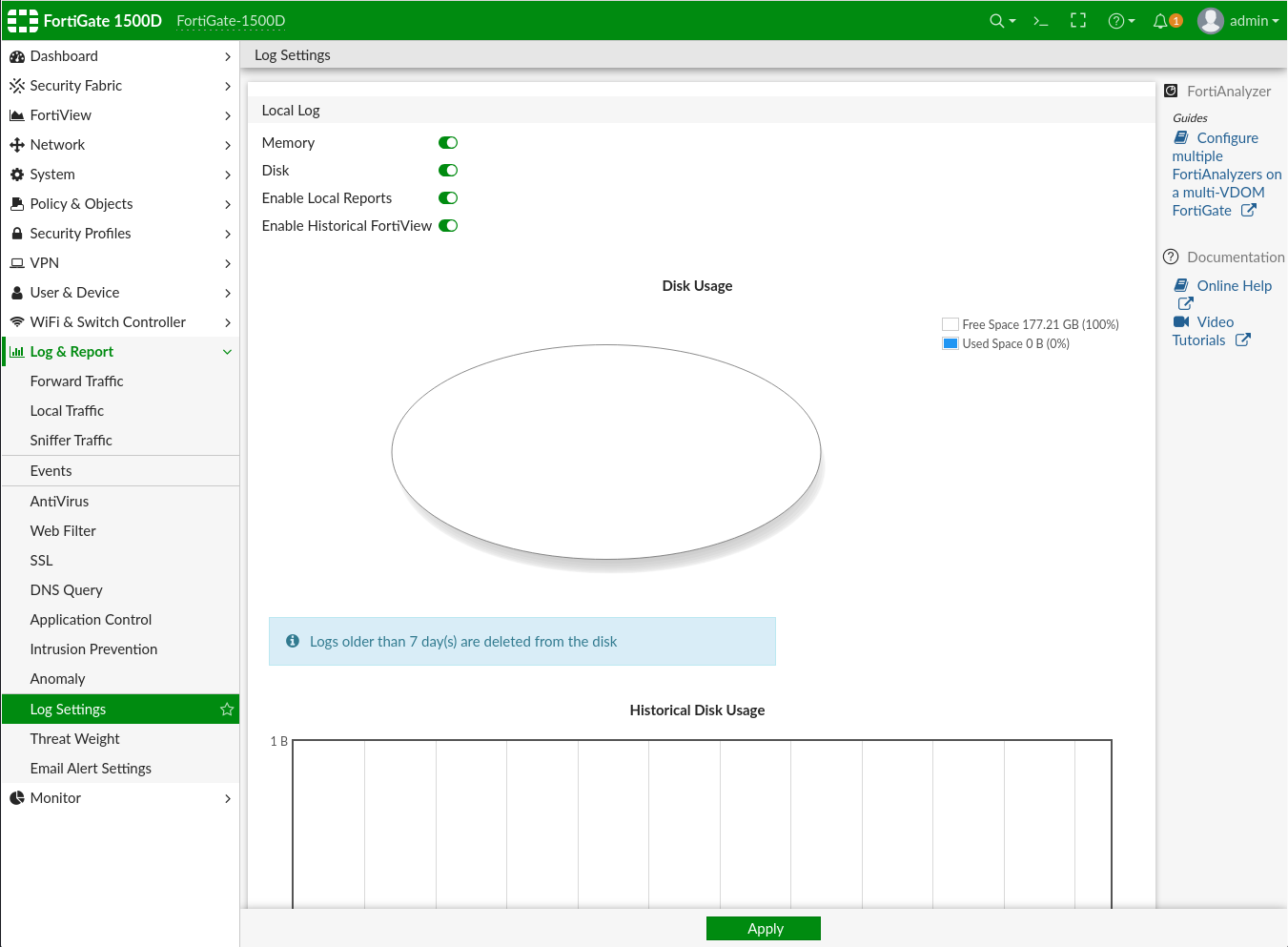
Under Log & Report -> Events we find the main operational and administrative (control plane) logs for the appliance (when FortiAnalyzer is not enabled). Below you will see me creating a local user, bfake and logging in from a separate VM as that user and admin user. These logs will also show login attempts against the management plane and any configuration changes.
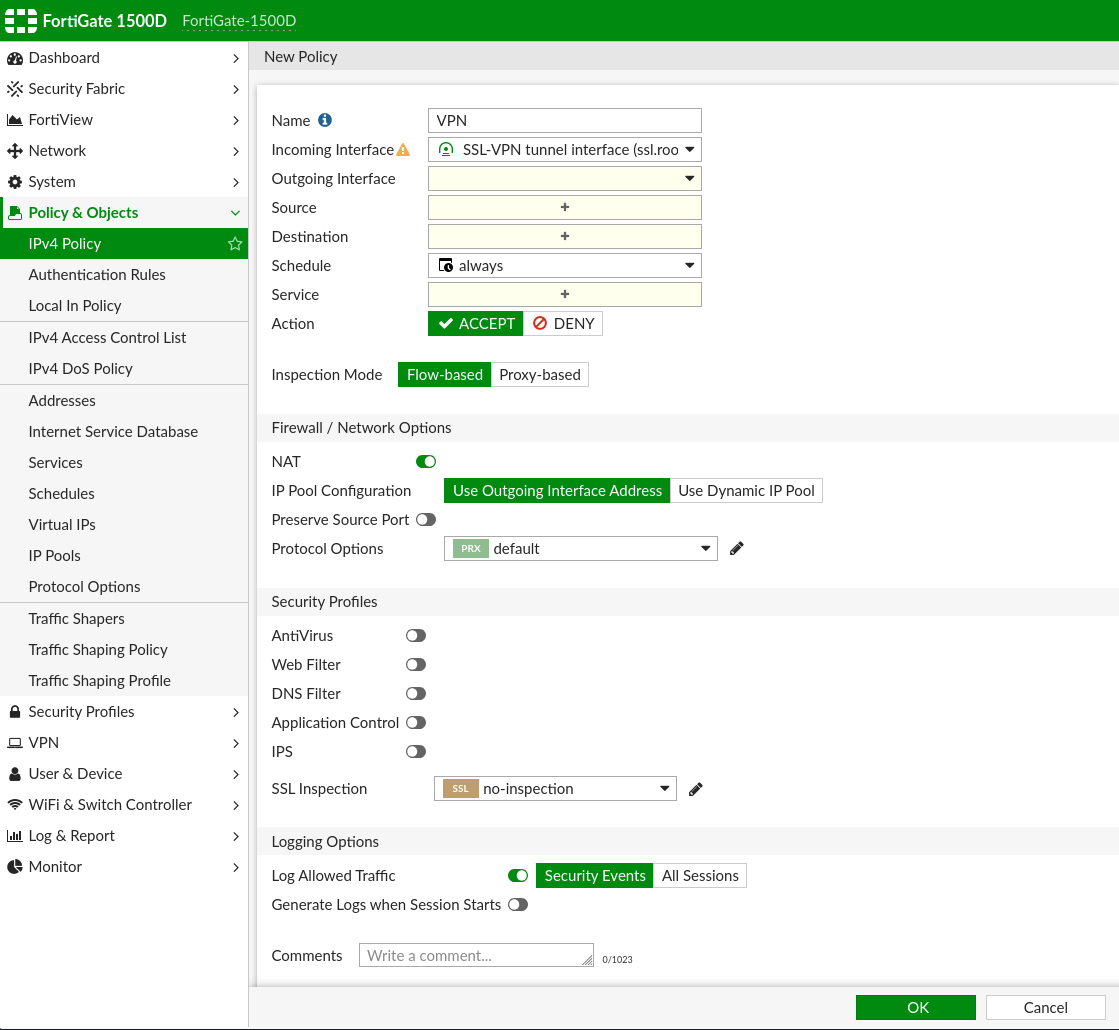
Log & Report -> Forward Traffic will log the actual firewall network traffic (data plane). This logging needs to be applied on a per policy basis and is NOT enabled by default. In the third screenshot, you will see an example of what this looks like (note that while the shown policy is named VPN, the screenshot shows Logging Options at the bottom; this is where logging can be applied as either Security Events only, or All Sessions). For SSL-VPN user login events and tunnel connection events, Generate Logs when Session Starts needs to be toggled ON. To log the actual SSL-VPN data, you still need to enable logging on the Firewall Policy that allows the VPN traffic (Log Allowed Traffic).


Important Caveats
- The default retention for control plane logging is 7 days
- The default retention for data plane logging is also 7 days, but requires the logging to be enabled first
- This default retention period for both can be extended all the way to 10 years, but the second limitation is appliance disk space. Another important caveat here is that some FortiGate models do not have a local disk and store logs in memory. Logs are persistent for disk-based appliances and lost on reboot for memory-based appliances. https://community.fortinet.com/t5/FortiGate/Technical-Tip-How-to-set-the-maximum-age-for-logs-on-disk/ta-p/193116
- FortiAnalyzer is only limited to storage and quota, it also offers more advanced searching capabilities and therefore is generally suggested as a mandatory security upgrade
- FortiAnalyzer Cloud stores these logs on Fortinet’s servers and therefore avoids both the retention and non-persistent issues
Backend Shell Access (before 7.4.1) ((for FortiWeb))
I found the following article thinking I’d stumbled across some way to get advanced shell access, then realised that it was for FortiWeb. 😭 RIP https://community.fortinet.com/t5/FortiWeb/Technical-Tip-How-to-configure-backend-shell-access/ta-p/351791
TAC Report and Debug Logs
The following resource outlines pretty much the only real technical summary you can get from the appliance in an IR scenario. I won’t copy/paste the content from that article as it’s fairly self explanatory.
Other DFIR Commands
Advanced Commands - fnsysctl. These give a little bit more flexibility but nothing game-changing for DFIR responders.
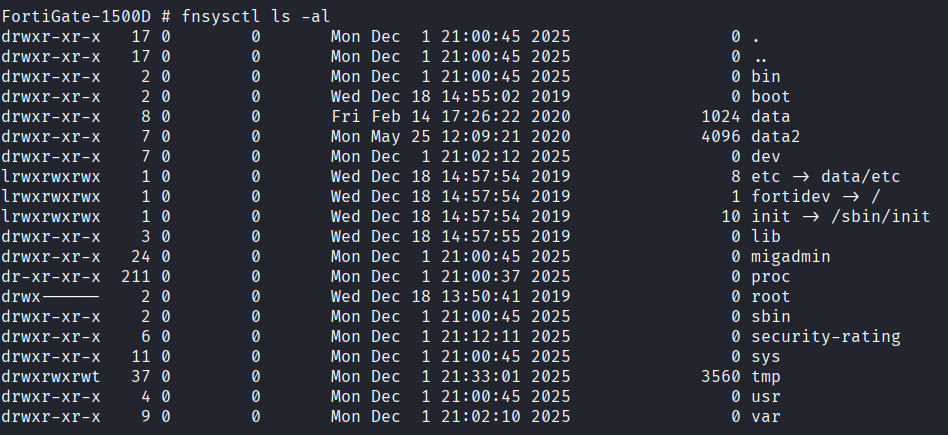
See below a limitation imposed with these commands:

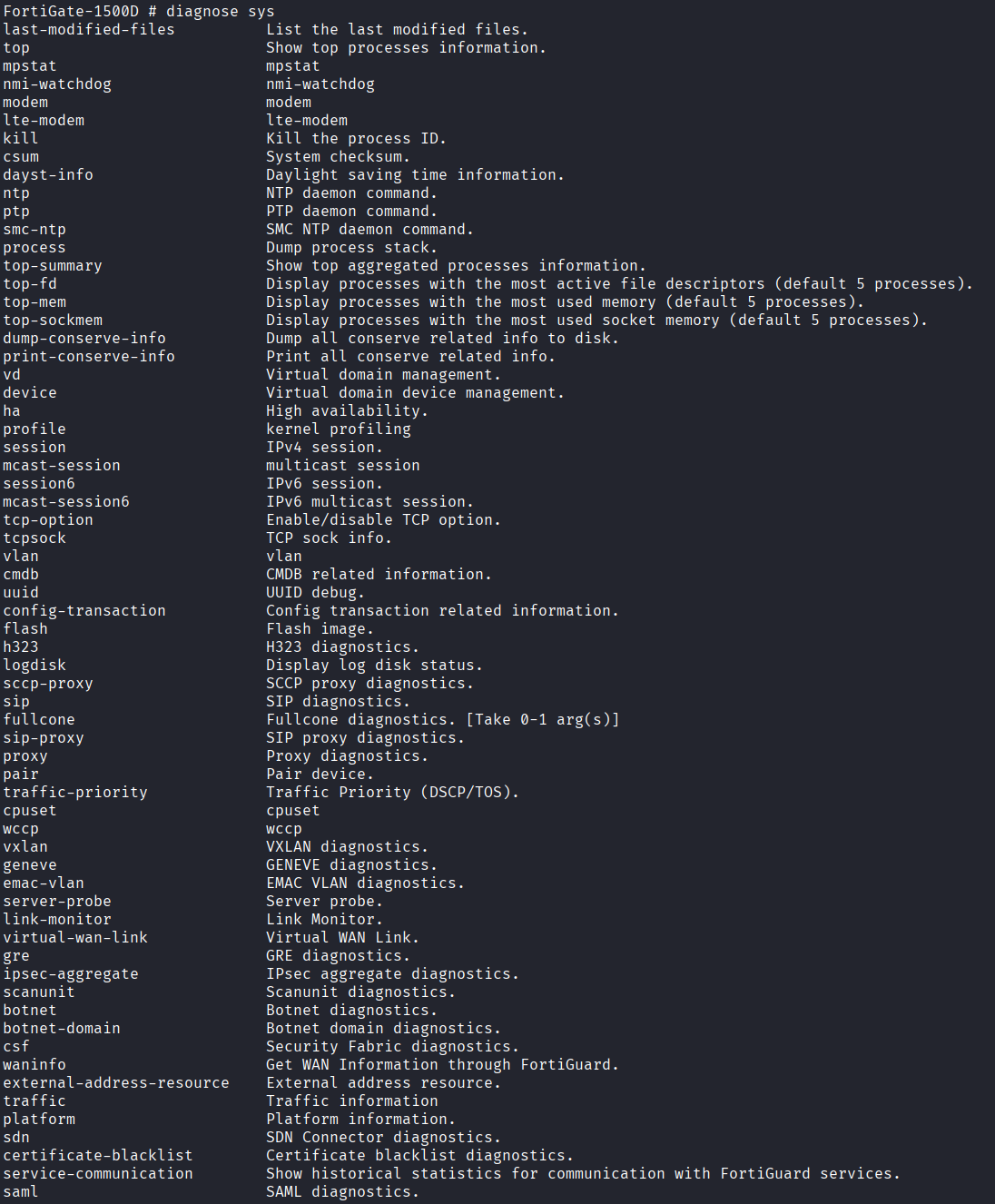
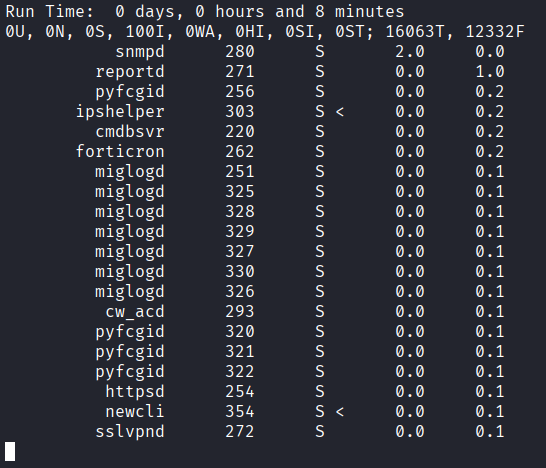
Some more random commands available on the cli:
diagnose sys
diagnose sys top
Maybe one day I’ll learn how to recover data from NAND/eMMC, but until then, the TAC report and these limited shell commands appear to be the best we’ve got.
Some things to watch out for and loose recs
- DETECT - Authentication to servers where the source IP address is within your SSL-VPN DHCP pool.
- DETECT - The FortiGate config being exported. This can lead to the hashed admin password being cracked offline.
- MITIGATE - Keep up-to-date with the latest security patching. It seems like every other day there is a new edge device CVE being dropped. Or, as we’ve seen lately, old vulnerabilities being re-exploited. https://thehackernews.com/2025/12/fortinet-warns-of-active-exploitation.html
- MITIGATE - Upgrade your old SSL-VPN setup to IPSEC or, ideally, ZTNA.
IR Services
Fortinet do seem to offer a (paid) IR service via FortiGuard, you can read about that engagement process here: https://community.fortinet.com/t5/FortiGuard/Technical-Tip-Engaging-FortiGuard-Incident-Response-Services-to/ta-p/263137
PS
I rushed this post a bit because I have infinite hobbies and non-infinite time. Maybe one day I’ll get around to writing some more in-depth stuff on FortiAnalyzer etc. If you have any additions or corrections for this post, please do let me know.
