Intro
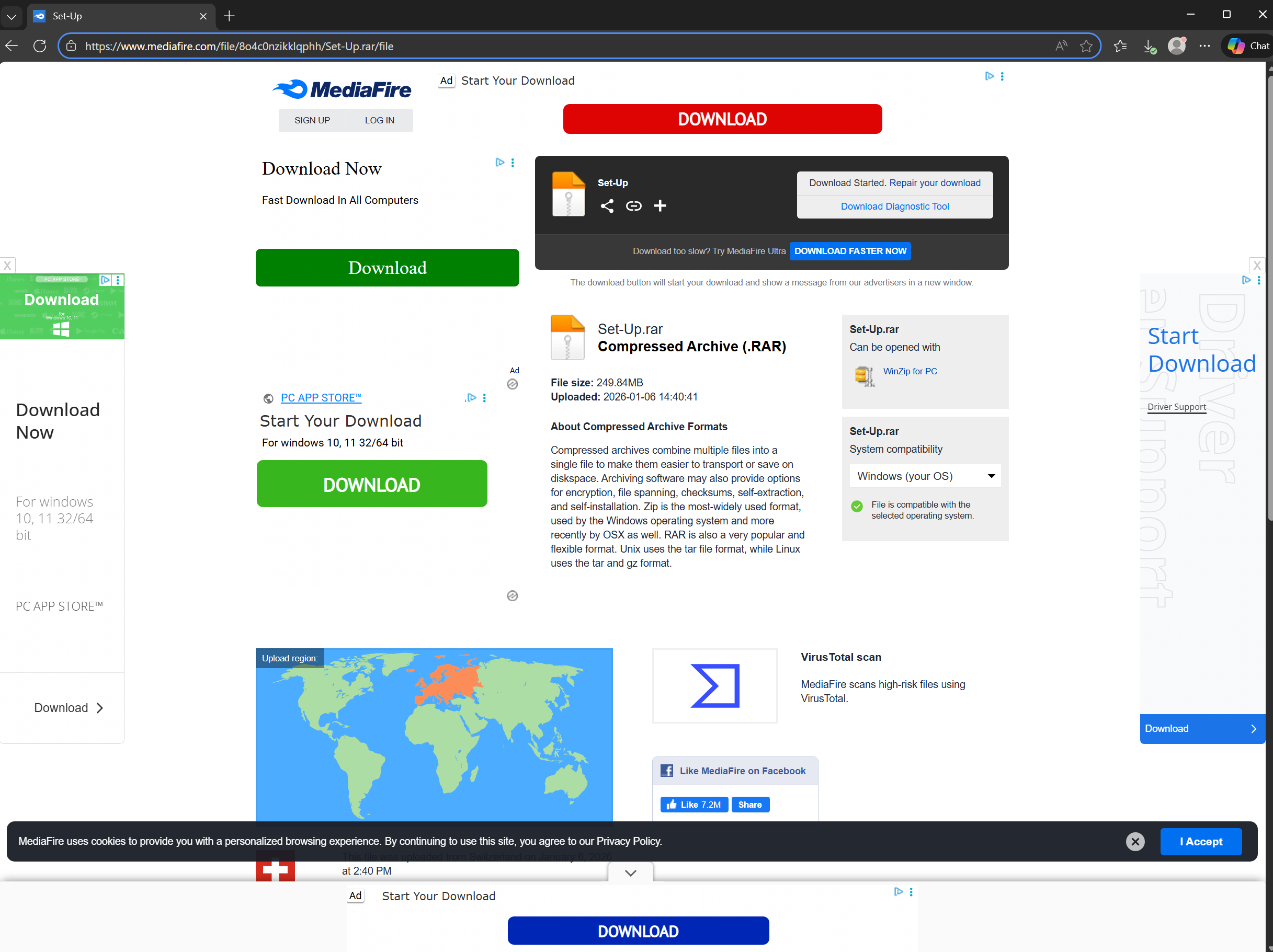
I was randomly browsing AnyRun looking for something to poke at, when I came across this. The URL being scanned was hxxps://anysoft[.]click, which appeared to redirect to a file hosted on MediaFire. It’s unclear how a user might have landed at this site. AnyRun sandbox flagged some powershell commands as ‘Scarface Stealer’, which may or may not be accurate attribution.
Node Malware
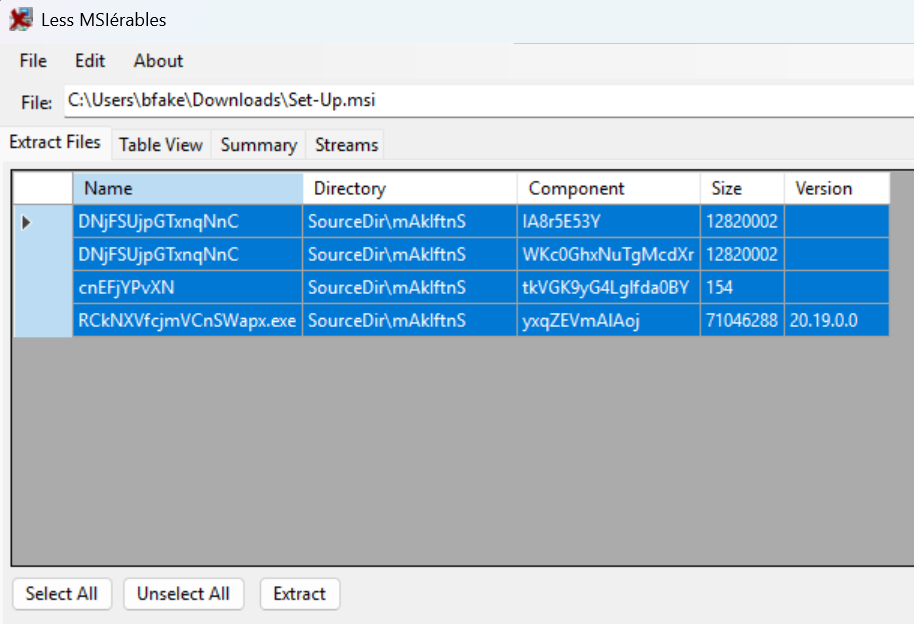
In any case, the file to be downloaded from MediaFire was Set-Up.rar. This .rar archive contains a single file, Set-Up.msi, a Microsoft Installer file. When inspecting this .msi, we see embedded files, which we can extract using a tool such as LessMsi. This contained the following four files:
DNjFSUjpGTxnqNnC(Obfuscated JavaScript)DNjFSUjpGTxnqNnC(duplicate of previous file)cnEFjYPvXN(script code)RCkNXVfcjmVCnSWapx.exe(a renamednode.exe)
Interestingly, Set-Up.msi still only has 1 detection on VirusTotal at the time of writing, a month after the first submission time.
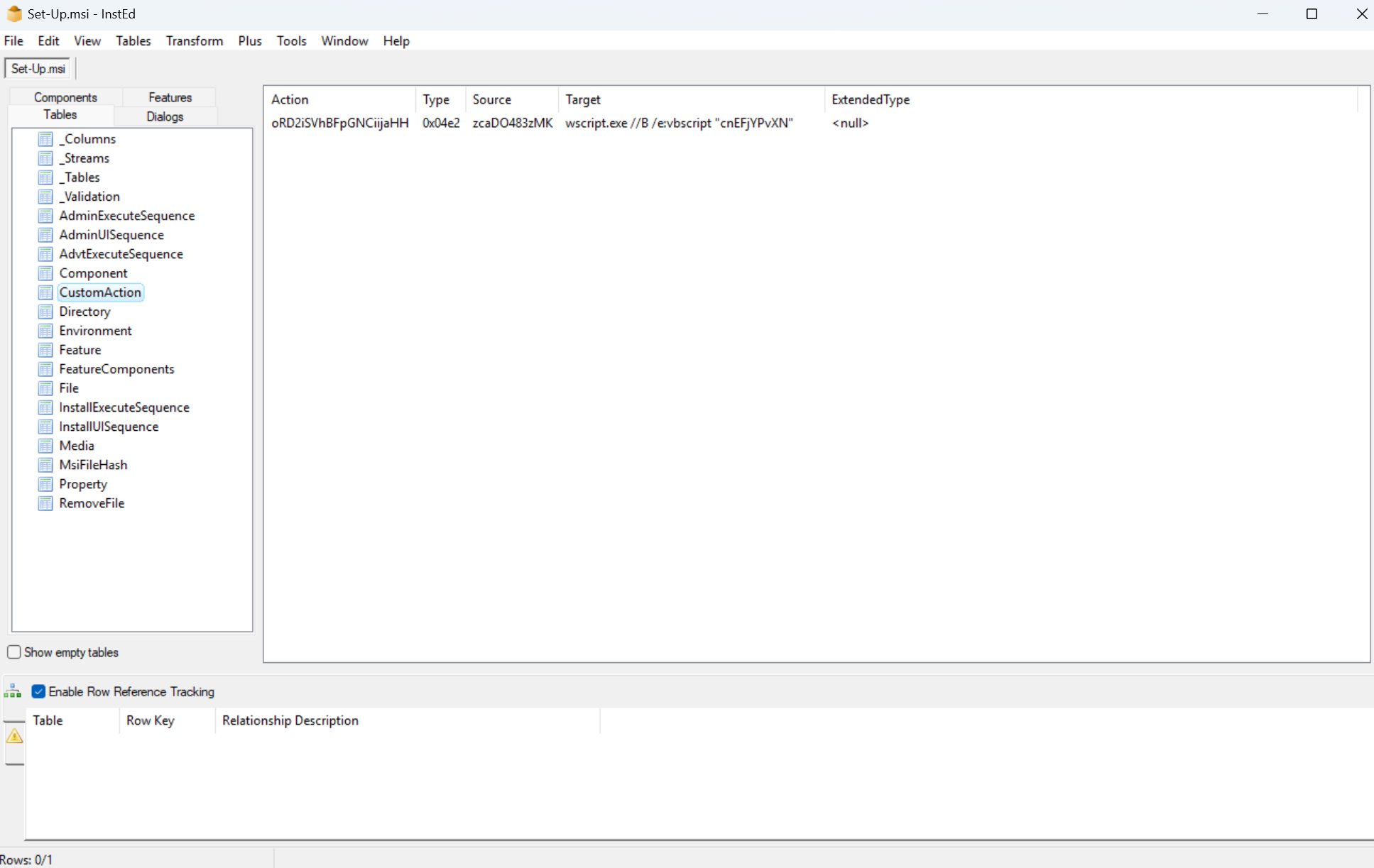
A CustomAction within this .msi (oRD2iSVhBFpGNCiijaHH) was set to run the following command: wscript.exe //B /e:vbscript "cnEFjYPvXN". This would execute wscript.exe against the contents of cnEFjYPvXN, shown below:

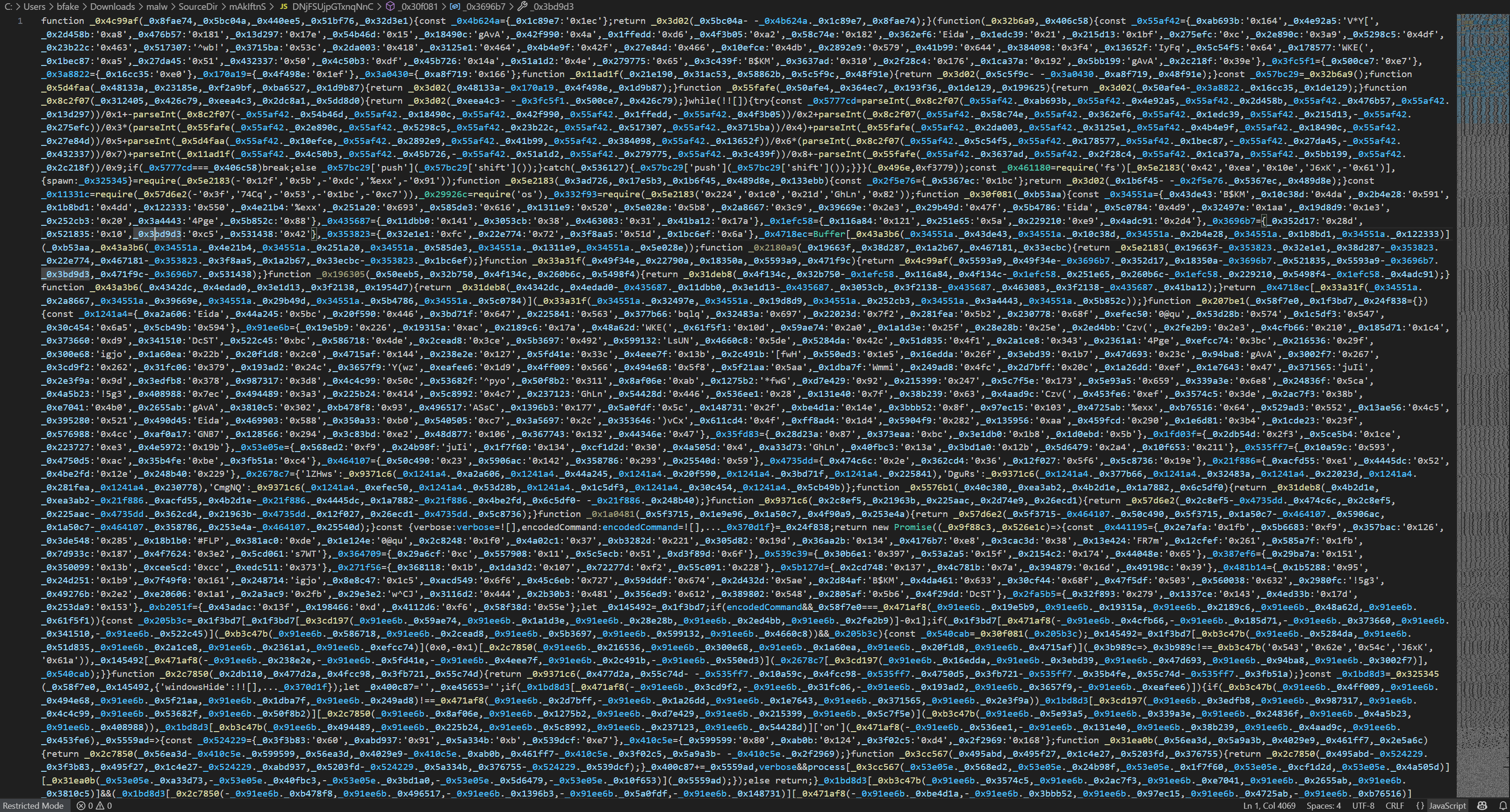
We can see here that (renamed) node.exe is being run against the obfuscated JavaScript contained within DNjFSUjpGTxnqNnC. The file DNjFSUjpGTxnqNnC is 12.2MB on disk. Opening it clearly shows that it is heavily obfuscated and not immediately human-readable.
Dynamic Analysis and Debugging
Dynamically executing node.exe against this JavaScript within a VM revealed nothing about the intended payload, indicating that there were likely anti-analysis or anti-VM checks being performed. Running this file through a variety of JavaScript deobfuscators also didn’t bear any fruit, indicating there may also be various types of loops and iterations designed to thwart those tools. After manually looking through the code, I identified the decoder function, _0x3d02(). This function:
- Takes an index as input
- Performs Base64 decoding
- Applies RC4 decryption
- Returns the plaintext string
After creating a script to hook the function calls, using the original function to decode and decrypt, the decrypted strings became readable. Among those were a list of hostnames, usernames and processes. This is common among anti-debugging techniques in malware. The script looks to see if any of those listed match, if so, exit. Some of these were:
- Sandbox/VM usernames: john, test, sandbox, malware, wdagutilityaccount etc.
- VM process names: vmtoolsd.exe, VirtualBox.exe, vmware.exe etc.
- Analysis tools: IDA Pro, OllyDbg, x64dbg, Wireshark, Fiddler etc.
- Anti-emulation markers: “Tea with bergamot and lemon went cold in the cup” etc.
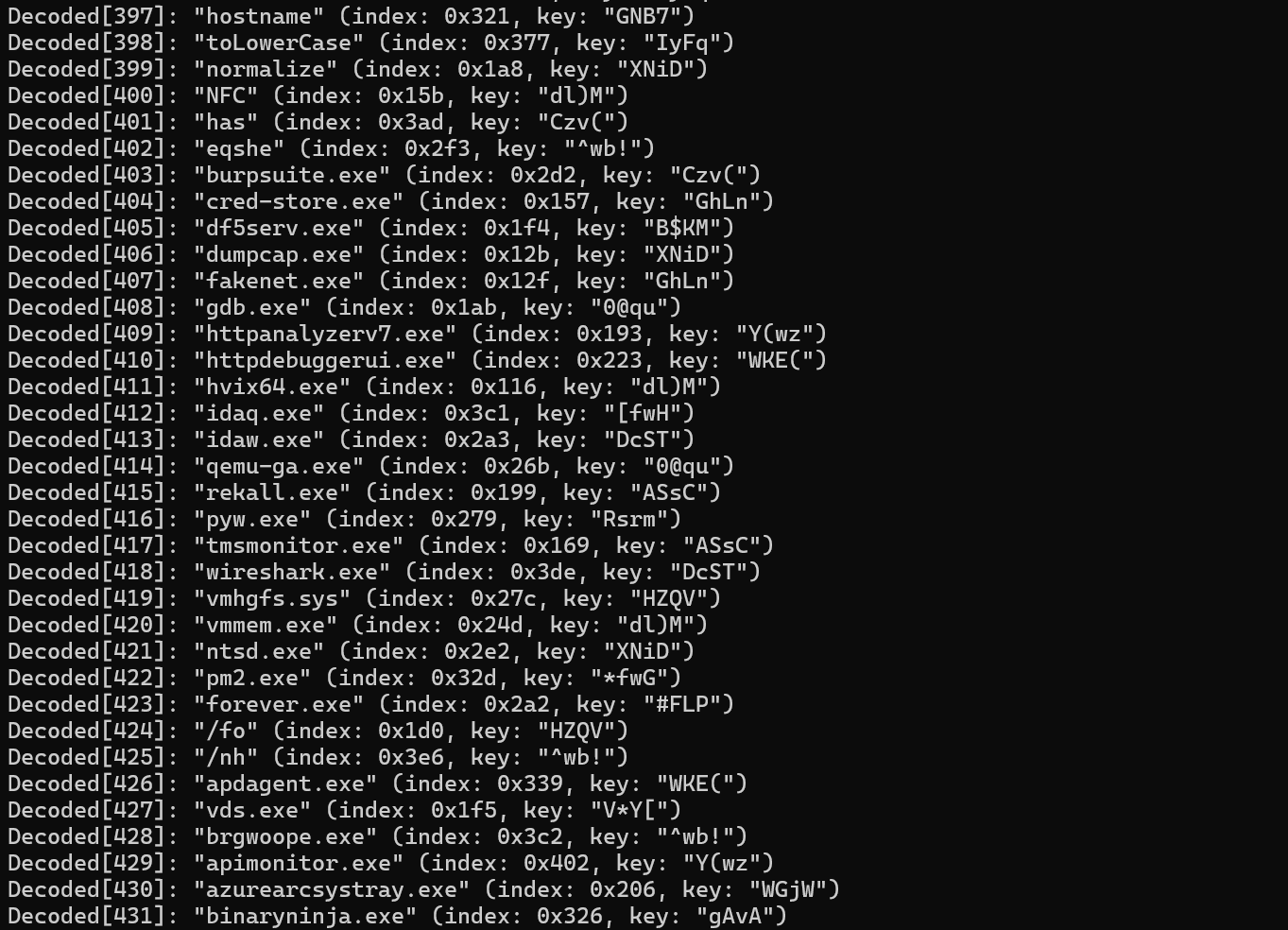
So we know the malware will likely exit if any of these are matched. Running the malware again without any of the listed analysis tools present still didn’t drop or inject a further payload. It was at this point I went looking for any published research that might have matched what I’d seen. A google search for "node" + "malware" + "wdagutilityaccount" returned a top result of this amazing research from Checkpoint. The sample we are looking at here is not an exact match for what is described, but there is a large overlap. Using their created tool, tracer.js, I was able to trace execution.
Running node -r .\tracer.js .\DNjFSUjpGTxnqNnC showed a bunch of debug information that helped see where execution was failing. The last line that appeared was [child_process.spawn] args=["tasklist",["/fo","csv","/nh"],{"windowsHide":true}].
This malware is running a tasklist command to match the running tasks against the process names identified earlier. Running this in our analysis VM would result in the malware becoming aware it is in a virtualised environment and quitting, see below:
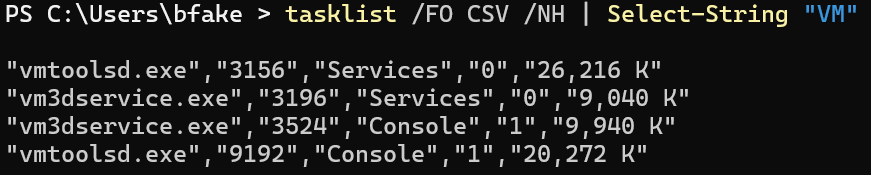
tracer.js attempts to spoof this result by returning an empty list, however this specific malware sample appears to have evolved to defeat this, as the script still quits.

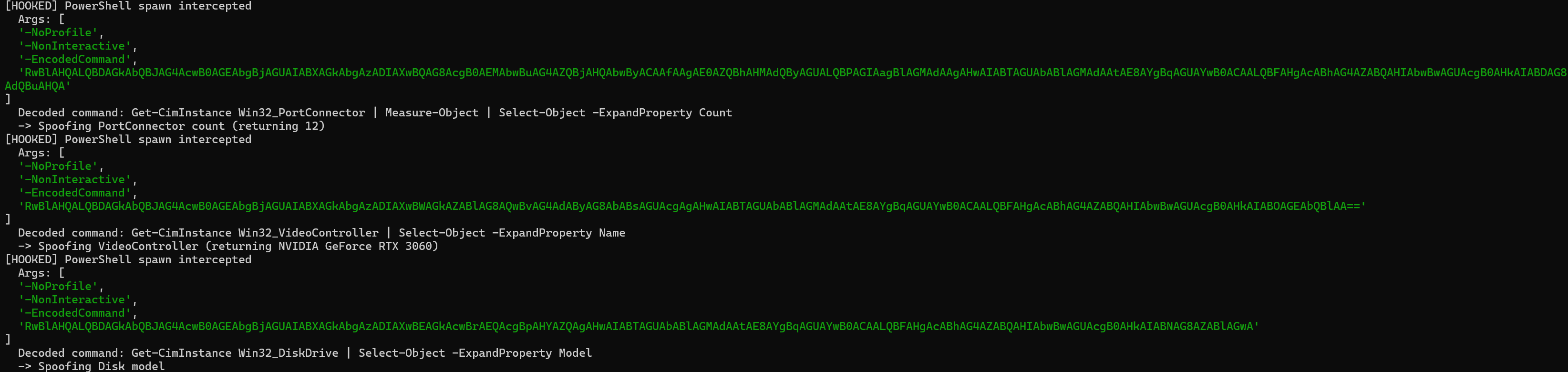
Using the same idea, but a different script, I hooked the functions and returned a fake tasklist. Once doing so, I could see more checks, similar to the CheckPoint article. These were being spawned as powershell encoded commands. These anti-analysis checks were faked in my script as so:
            const cmdCheck = (decodedCmd || argsStr).toLowerCase();

            if (cmdCheck.includes('win32_portconnector') && cmdCheck.includes('count')) {
                fakeOutput = '12\r\n';
            } else if (cmdCheck.includes('win32_videocontroller') && cmdCheck.includes('name')) {
                fakeOutput = 'NVIDIA GeForce RTX 3060\r\n';
            } else if (cmdCheck.includes('win32_diskdrive') && cmdCheck.includes('model')) {
                fakeOutput = 'Samsung SSD 970 EVO Plus 1TB\r\n';
            } else {
                fakeOutput = '\r\n';
            }
Next Stage Payload
Defeating these checks causes a .node module file to then be written to %APPDATA%\Local\Temp, as seen below
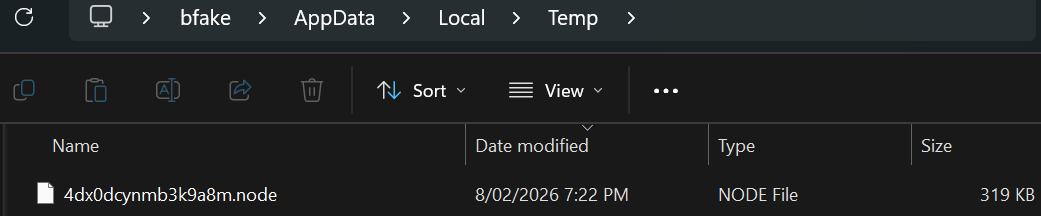
The file dropped has a hash of SHA256: D538FB29881A4A35622E5DC649B2BFA73C5CAA5F1D8B418B38FC1285FF71FEDB, not found in VT. It is a node module (a .dll file), with a FileDescription of Telegram Desktop and a certificate for AnyDesk Software GmbH. This file is likely the loader for the final payload.
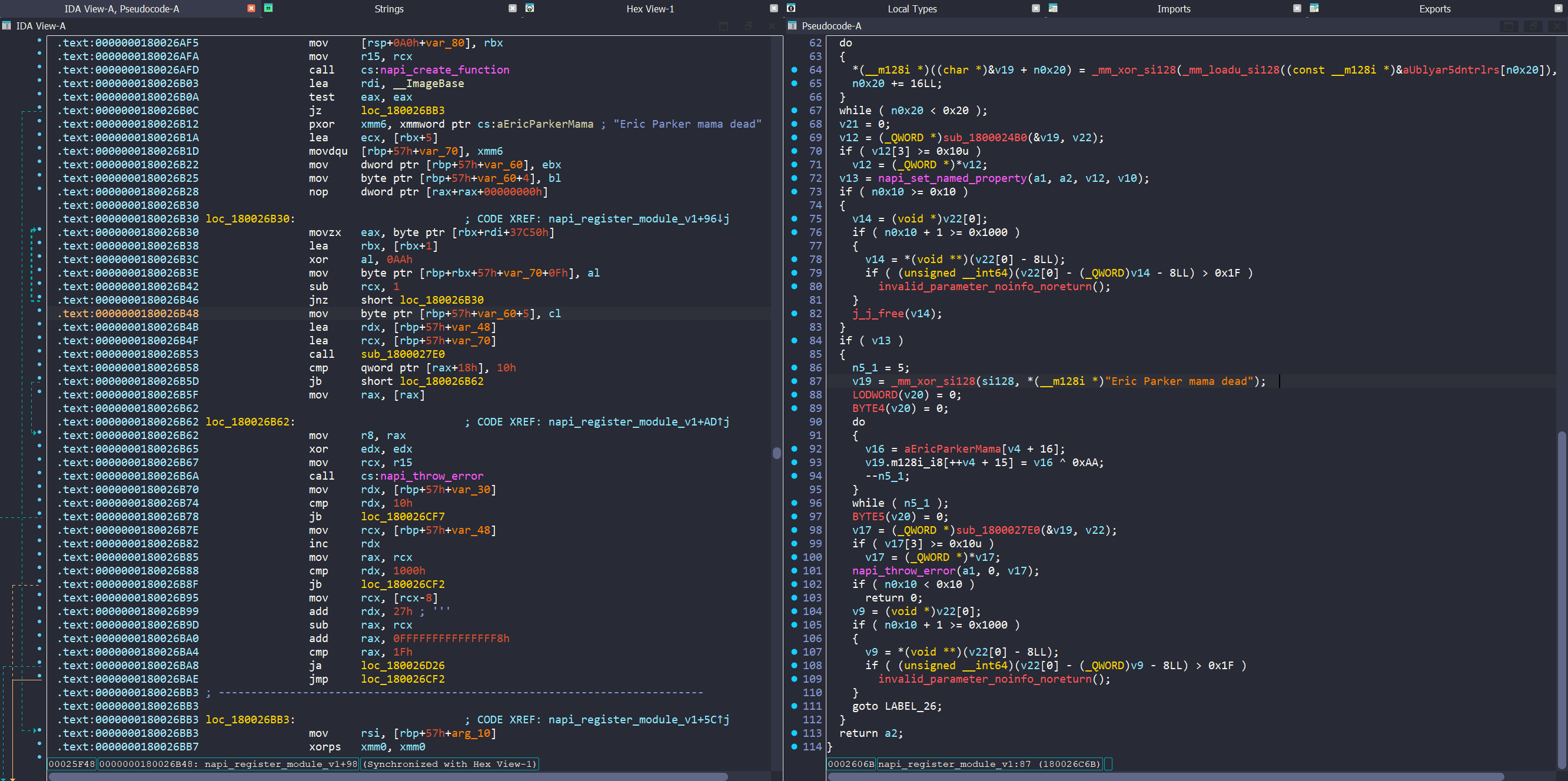
In ida we see a JavaScript callable function (after analysis this has an export of uBLyaR5DNtRlrSKqF5hggbz0VsCZNwdW) and another anti-debug check path, where the string Eric Parker mama dead will be displayed as an error upon execution failure.
So now we know the original JavaScript is responsible for the following:
- Pass anti-VM checks
- Decrypt the .node DLL
- Write it to %TEMP%
- Load and execute it
- Exit
Final Payload (?)
After much trial, error and debugging, I managed to get this node module to drop the final 4.2MB PE executable (.exe), with a hash of SHA256: 81E24E168265C349E9312480E93CEC11B5222DF1652EAD83A382DDF046A937C2, also not in VT at time of writing.
I uploaded this file myself (note that the file name was generated by me not the actual payload) to see what VT would come back with, and found 30/72 detected as malware. I also uploaded to some sandboxes, which returned with no threats found, possibly due to execution issues.
The PE injection technique discussed by CheckPoint is super cool and I recommend you check it out. I’ll work on the final payload some time in part 2.
Indicators
Set-Up.rar - D05F90A65CEBE9B545D65C952FD150A6949FC945C17049F53DA0383562FA4177
Set-Up.msi - 4248F611F1F6A25656052C5236E07A80DCDB373BAEFCBD0B0255D18BDCC10D89
%APPDATA\Local\Temp\<random>.node - D538FB29881A4A35622E5DC649B2BFA73C5CAA5F1D8B418B38FC1285FF71FEDB
Final payload - 81E24E168265C349E9312480E93CEC11B5222DF1652EAD83A382DDF046A937C2
